HELP CENTER · SEO TOOLS
How To Check Your Site Health Score
View your SEO score, see automated fixes applied, and run a new audit from the Site Health page.
- Weeklyaudit frequency
- Automatedfixes applied
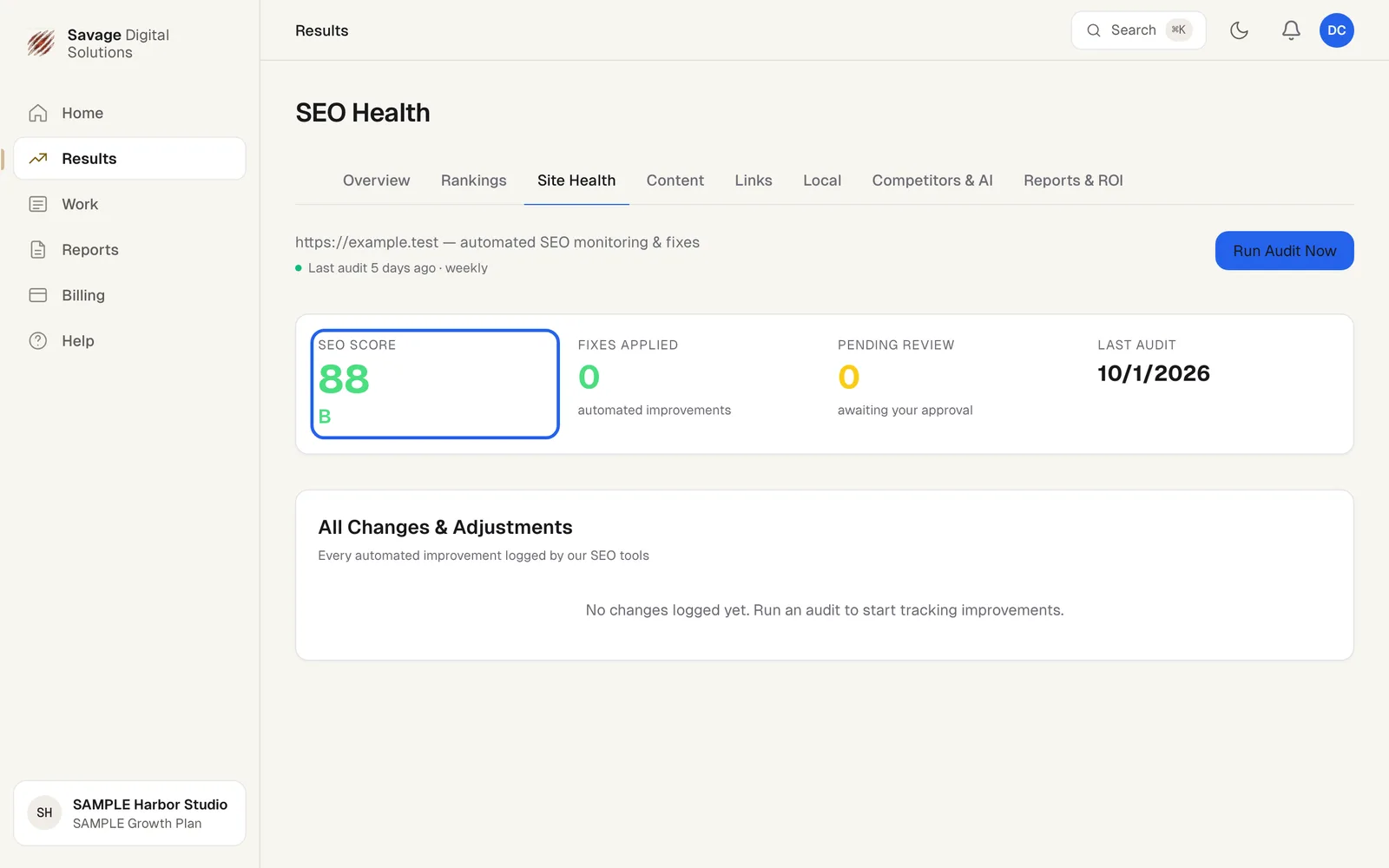
Your Site Health page provides automated SEO monitoring and fixes. It shows your current SEO score, the letter grade, and logs every automated improvement made by our SEO tools.
Step 1
Open Your Site Health Page
Choose Results in the sidebar, then the Site Health tab. The page displays your SEO score, Fixes Applied, Pending Review items, and the date of the last audit.