HELP CENTER · SEO TOOLS
How To Check Your AI Visibility
See how often AI answers mention your business, which engines include you, and where you have room to grow.
- Weeklynew checks
- Scoreout of 100
AI Visibility shows when answers from AI engines such as ChatGPT and Perplexity include your business, and where there is room to grow. We run new checks every week.
Step 1
Open AI Visibility
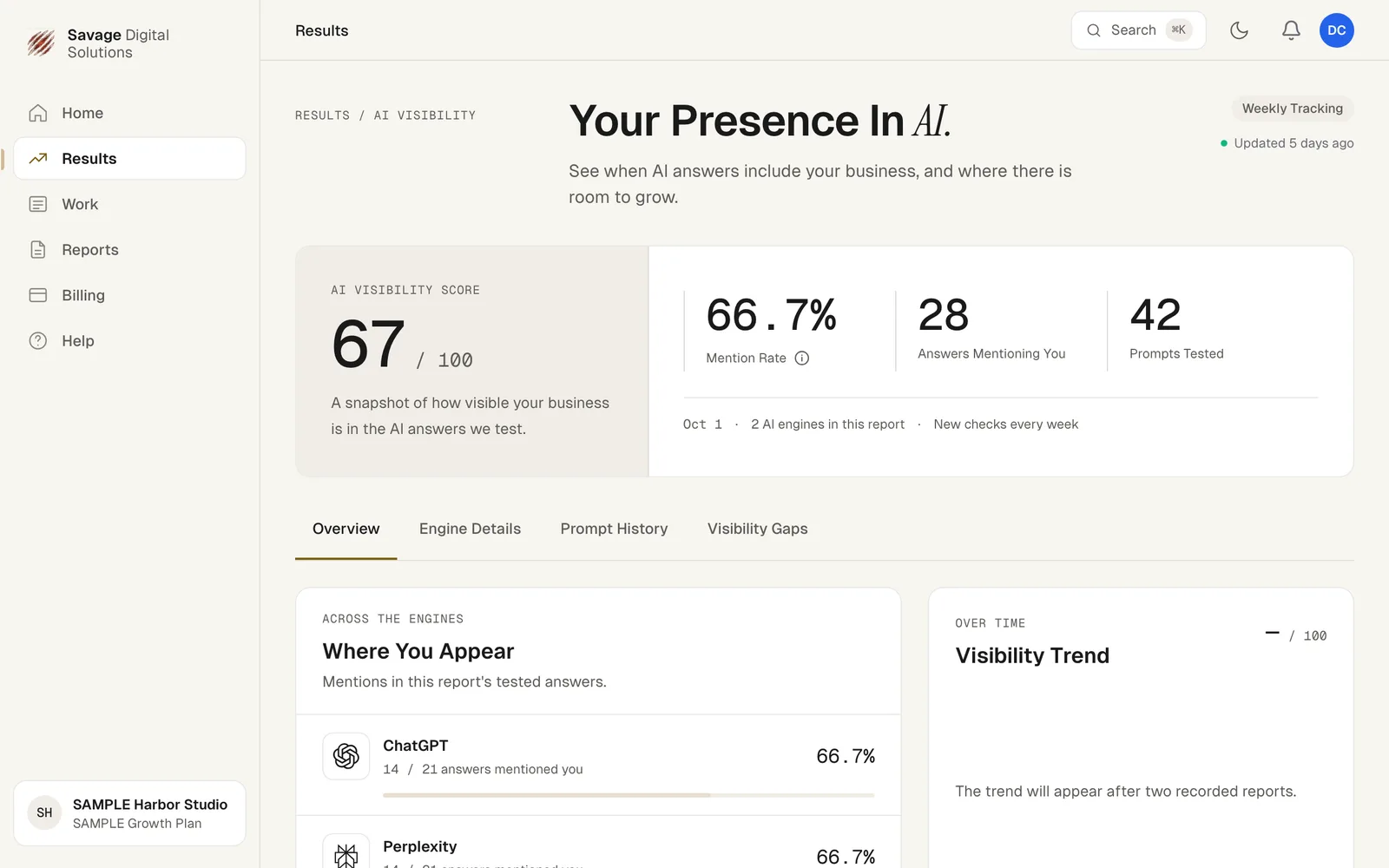
Choose Results in the sidebar, then AI Visibility. At the top you'll see:
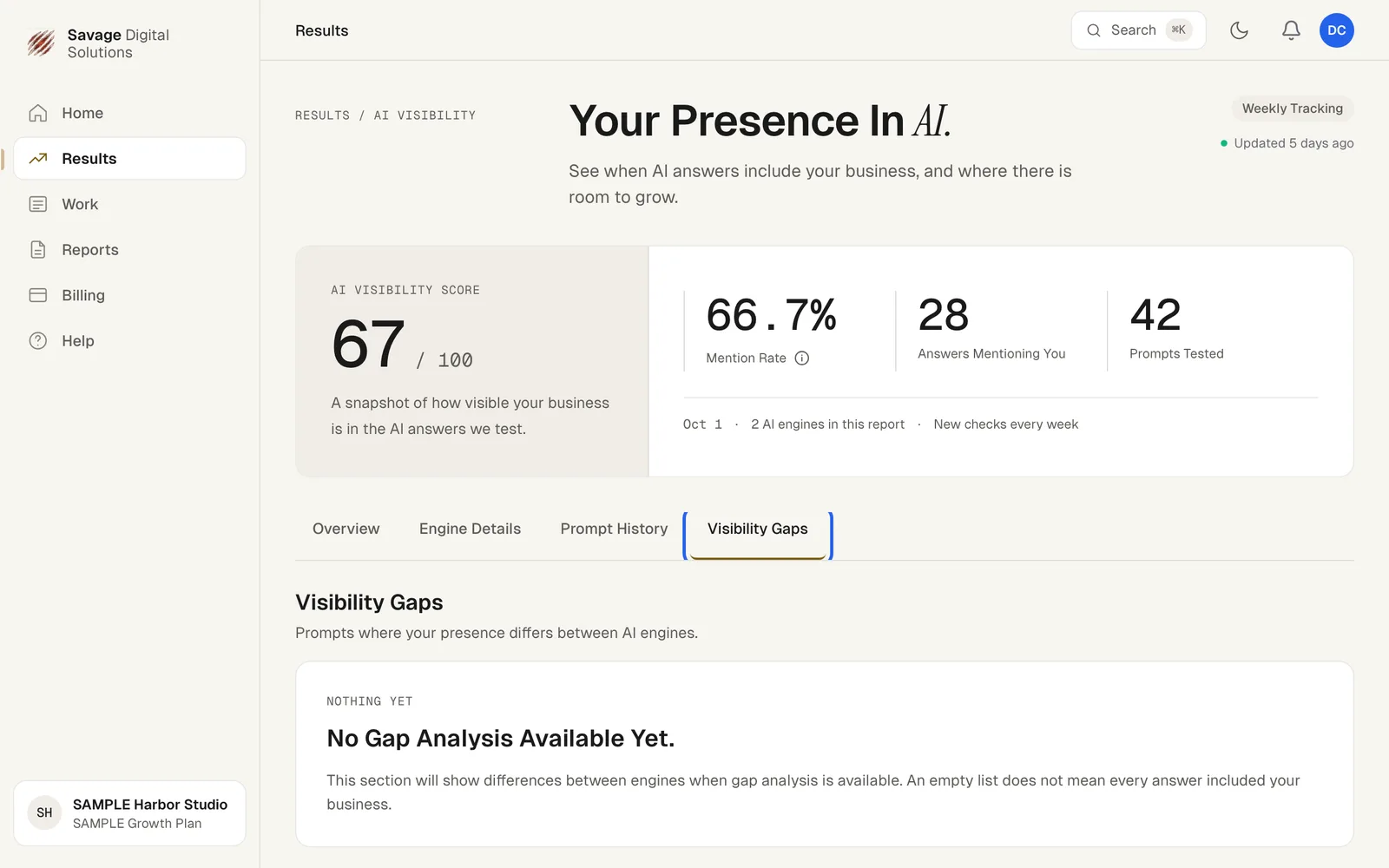
- AI Visibility Score: a snapshot out of 100.
- Mention Rate: the share of tested answers that mentioned you.
- Answers Mentioning You and Prompts Tested: the counts behind the rate.
- The report date and how many AI engines it covers.
Below that, Where You Appear breaks the results down by AI engine, and Visibility Trend charts your score once you have two reports.
Step 2
Dig into the Details
Use the tabs to go deeper:
- Engine Details: results for each AI engine.
- Prompt History: the questions we tested and which answers included you.
- Visibility Gaps: prompts where your presence differs between engines.