HELP CENTER · GETTING STARTED
How To Update Your Business Info And Competitors
Update your business details and competitor list in Settings to keep your tracking accurate.
- SettingsBusiness Info
- One dayupdates take effect
- Up to 10competitor sites
Keep your profile current so we track the right data for you. Your business details live in Settings of your Savage Digital Solutions portal.
Step 1
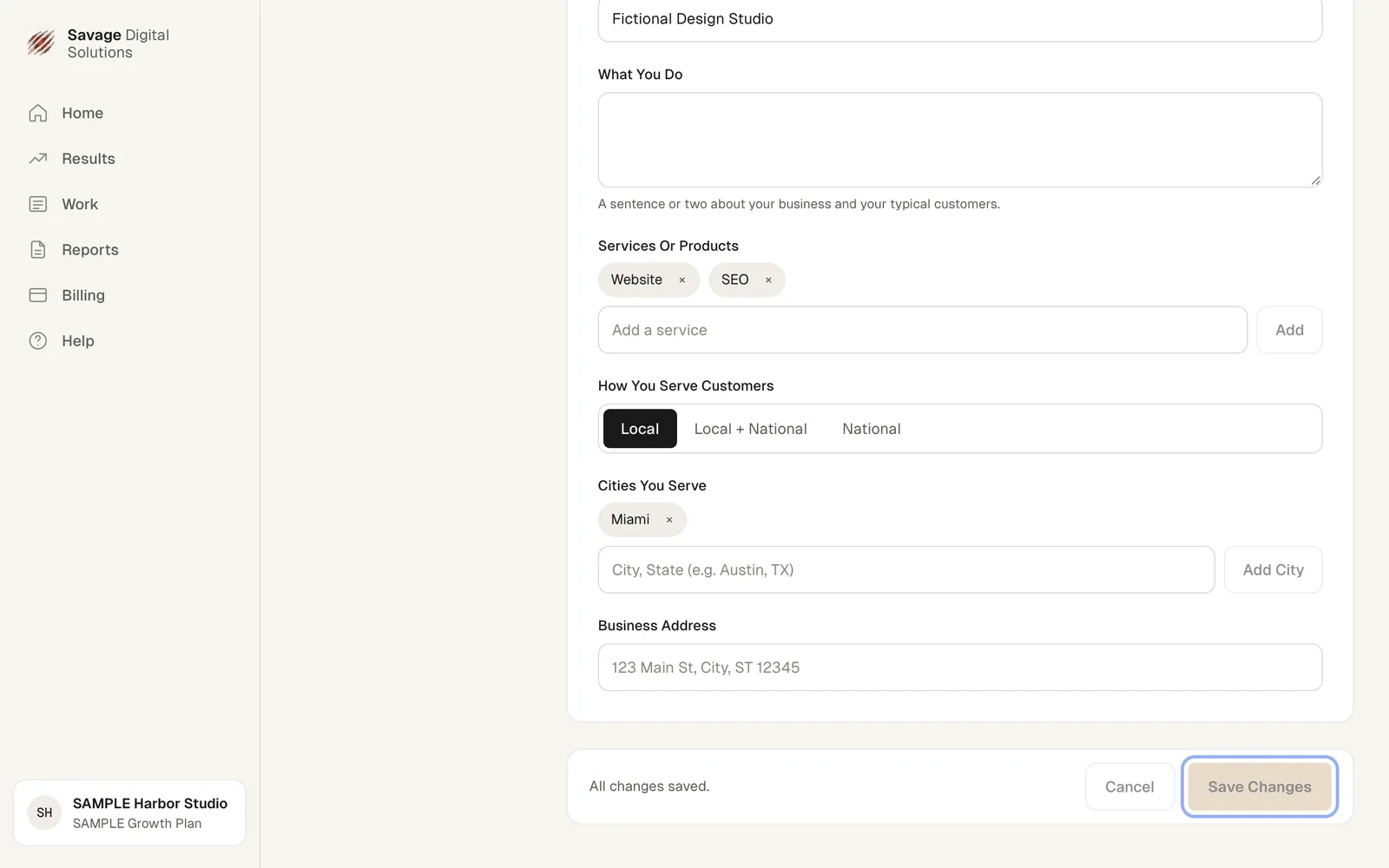
Update Your Business Details
Open Settings and choose Business Info. Here you can edit your website, industry, what you do, services or products, how you serve customers, cities you serve, and business address. Choose Save Changes when done.
Step 2
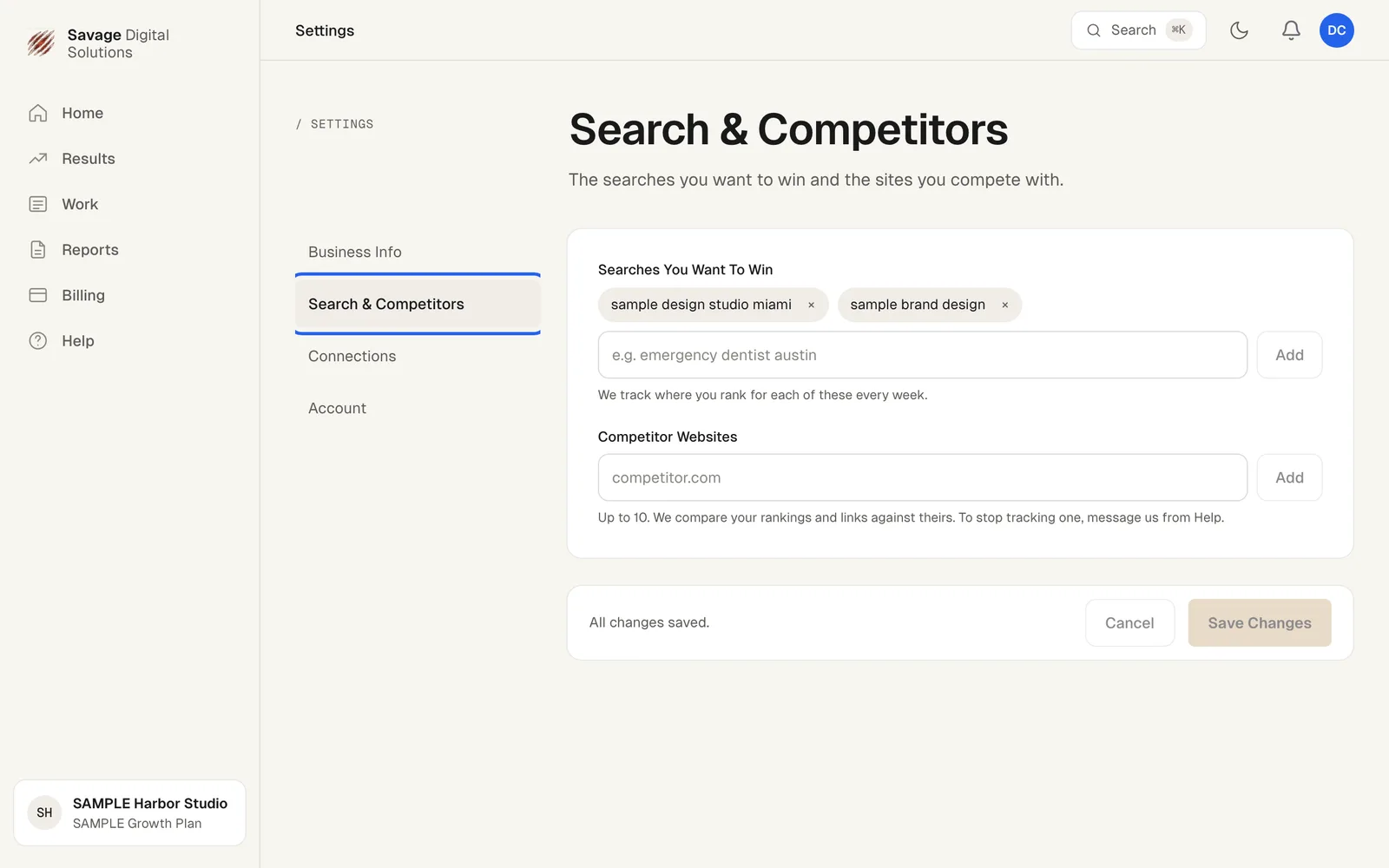
Add Competitors and Searches
Choose the Search & Competitors tab in Settings. Add the searches you want to win and up to 10 competitor websites. We track where you rank for each search every week and compare your rankings and links against your competitors. Choose Save Changes to confirm.