HELP CENTER · SEO TOOLS
How To Review And Approve A Blog Post
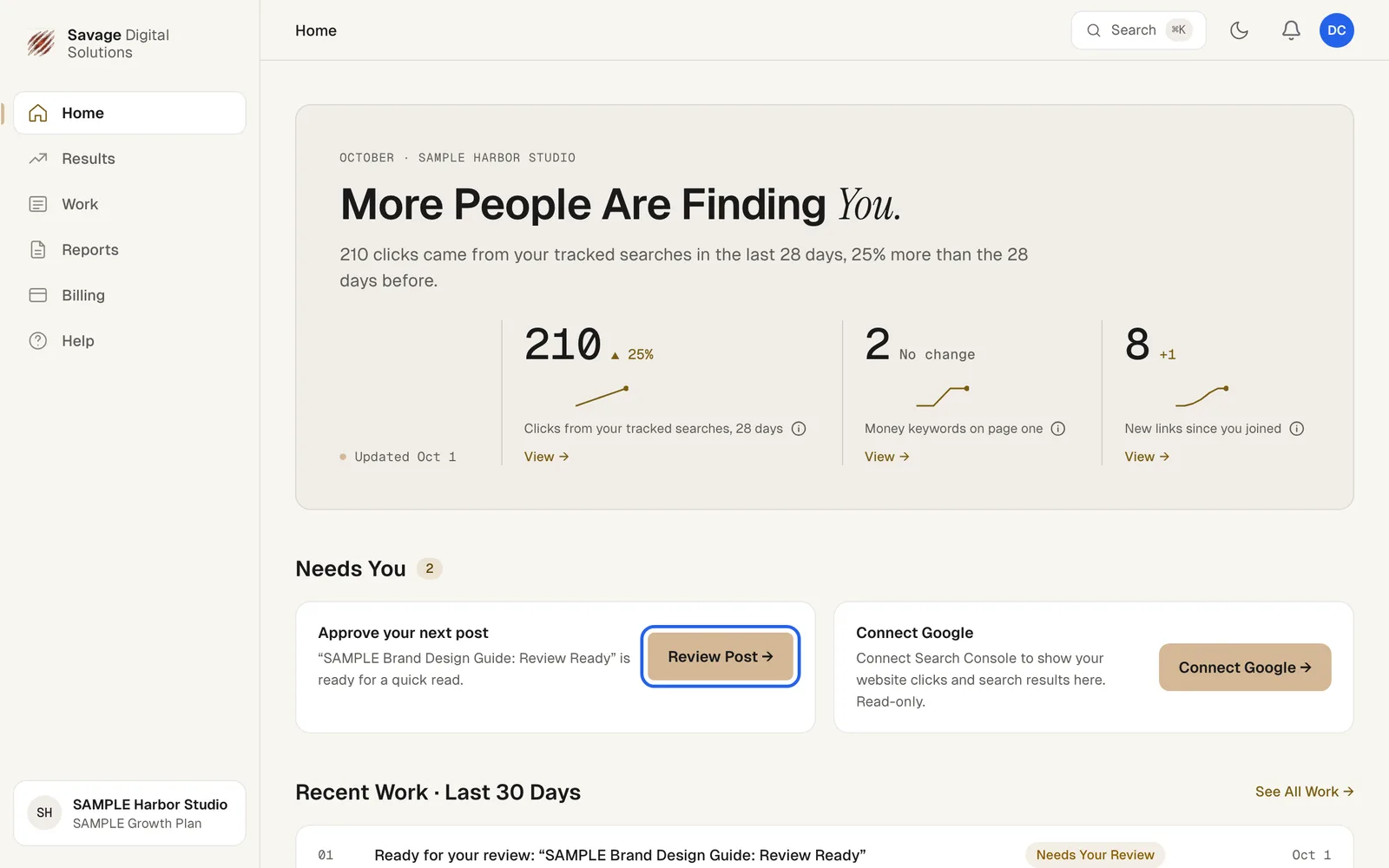
Find your pending blog post in Needs You, open it, and approve it or ask for changes.
- Needs Youpending items
- Reviewapprove or edit
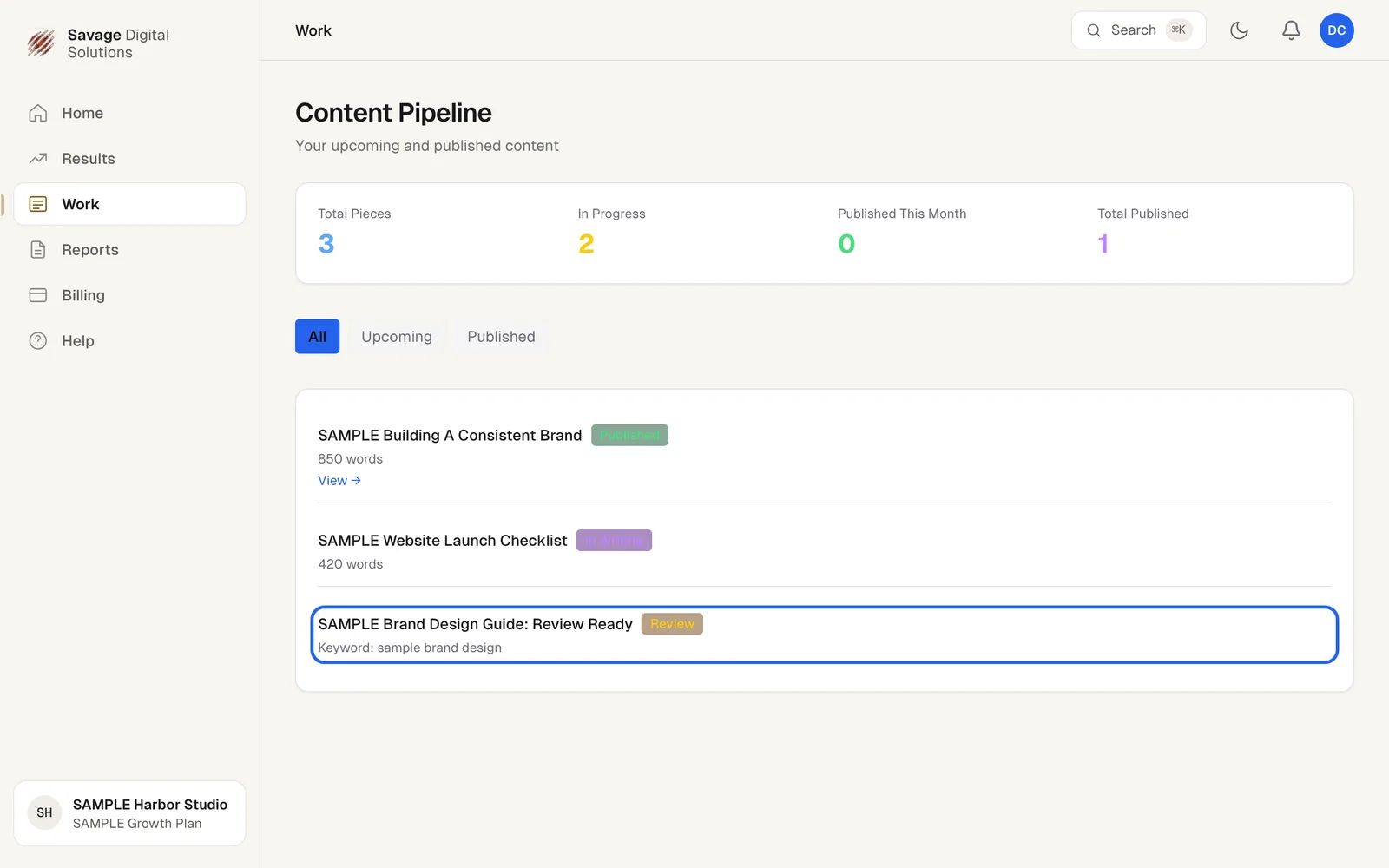
- Content Pipelinetrack status
When your team finishes a draft, it waits for your go ahead. It shows on Home under Needs You. Open it, then approve it or ask for changes. Your full content history lives in the Content Pipeline.
Step 1
Open a Post from Needs You
Your Home page shows pending items under Needs You. Choose Review Post to open the draft.
Step 2
Check the Content Pipeline
Review Post opens your Content Pipeline, which shows Total Pieces, In Progress, Published This Month and Total Published, with filters for All, Upcoming and Published. Each item shows its status: Published, In Writing, or Review.