Get a Free SEO Audit or Automation Assessment

CodeWrench Press Kit
CodeWrench is a free AI development environment that brings coding agents, terminals, Git and browser previews into one workspace. Developers can work with Claude Code, Codex, Cursor and other supported providers, run tasks in parallel and review the result before shipping.
Product Facts
- Product
- CodeWrench
- Category
- AI IDE / AI coding workspace
- Price
- Free to use. Connected AI subscriptions, API usage and optional external services are billed separately.
- Availability
- Preview downloads. The current published installer is for macOS on Apple silicon; check releases for current assets and installation details.
- Workflow
- Project conversations, coding CLIs, parallel branches and worktrees, terminals, source control, browser previews and review.
- Current Build
- The captures on this page show development revision 04653d456, captured October 8, 2026. Published previews may lag behind this build.
- Demo Content
- The interactive browser sandbox uses a fictional app with sample responses and simulated shell commands. Visitors can edit its code and use the live browser preview, diff and task board. The separate recording and screenshots show the actual product in a fresh environment without connected provider accounts.
Clean Screenshots for Coverage
These are real product captures. You may use them in CodeWrench reporting and reviews; retain the sample-workspace and capture-date context.
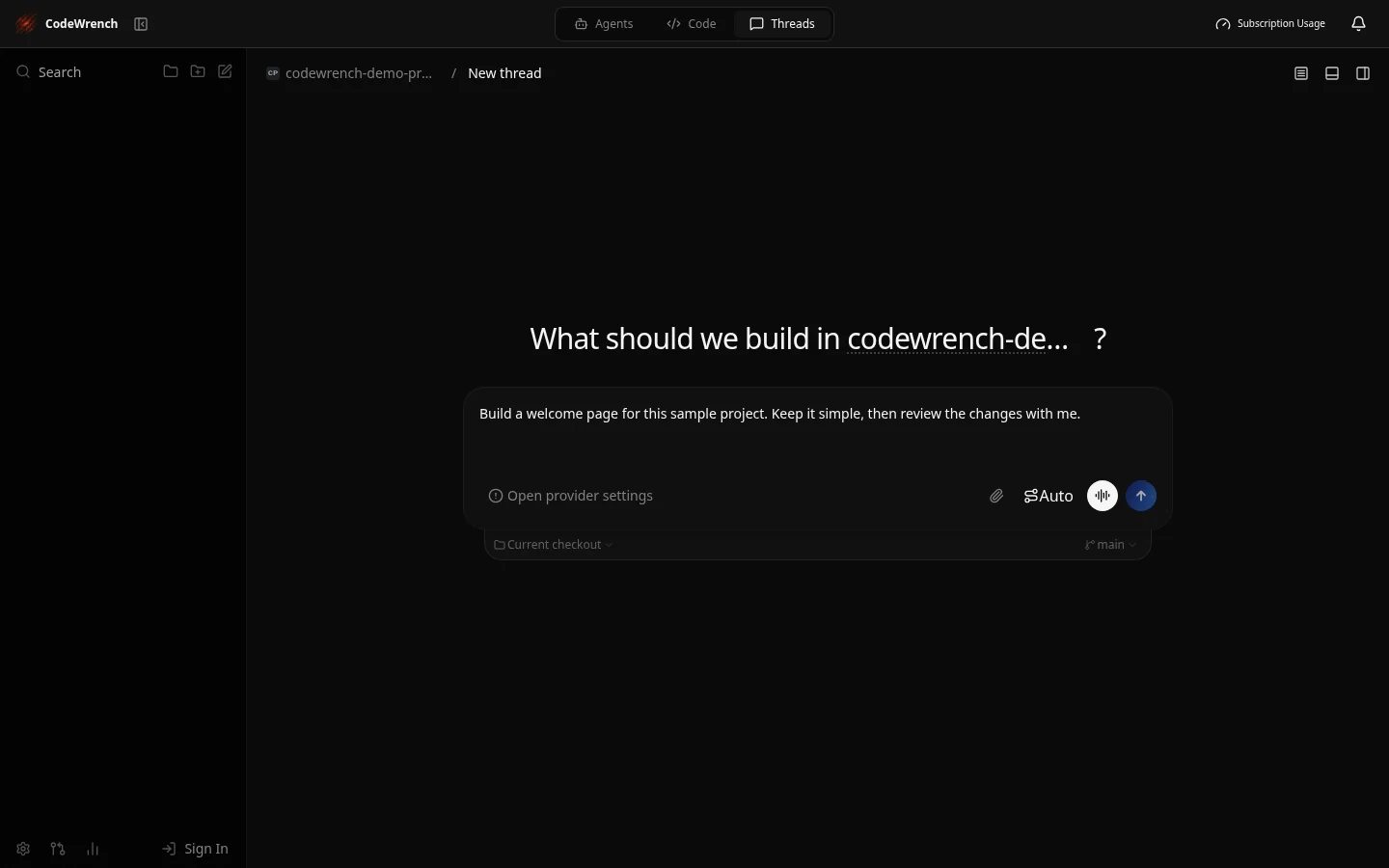
Task Composer
An unsent task in a fictional project. No agent response or execution result is simulated.
Download Screenshot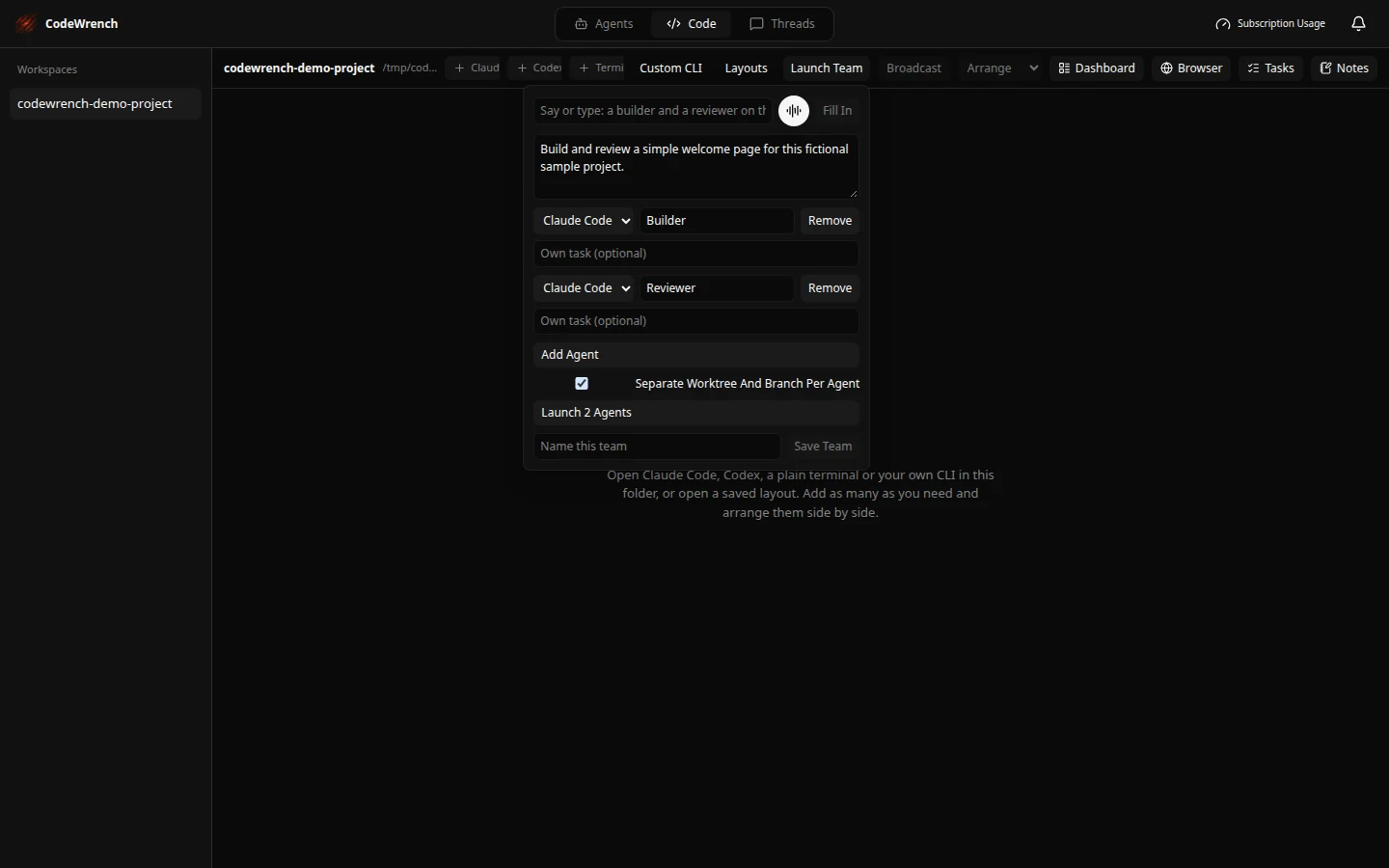
Parallel Agent Setup
Builder and reviewer roles with separate worktrees and branches enabled. The team has not been launched.
Download Screenshot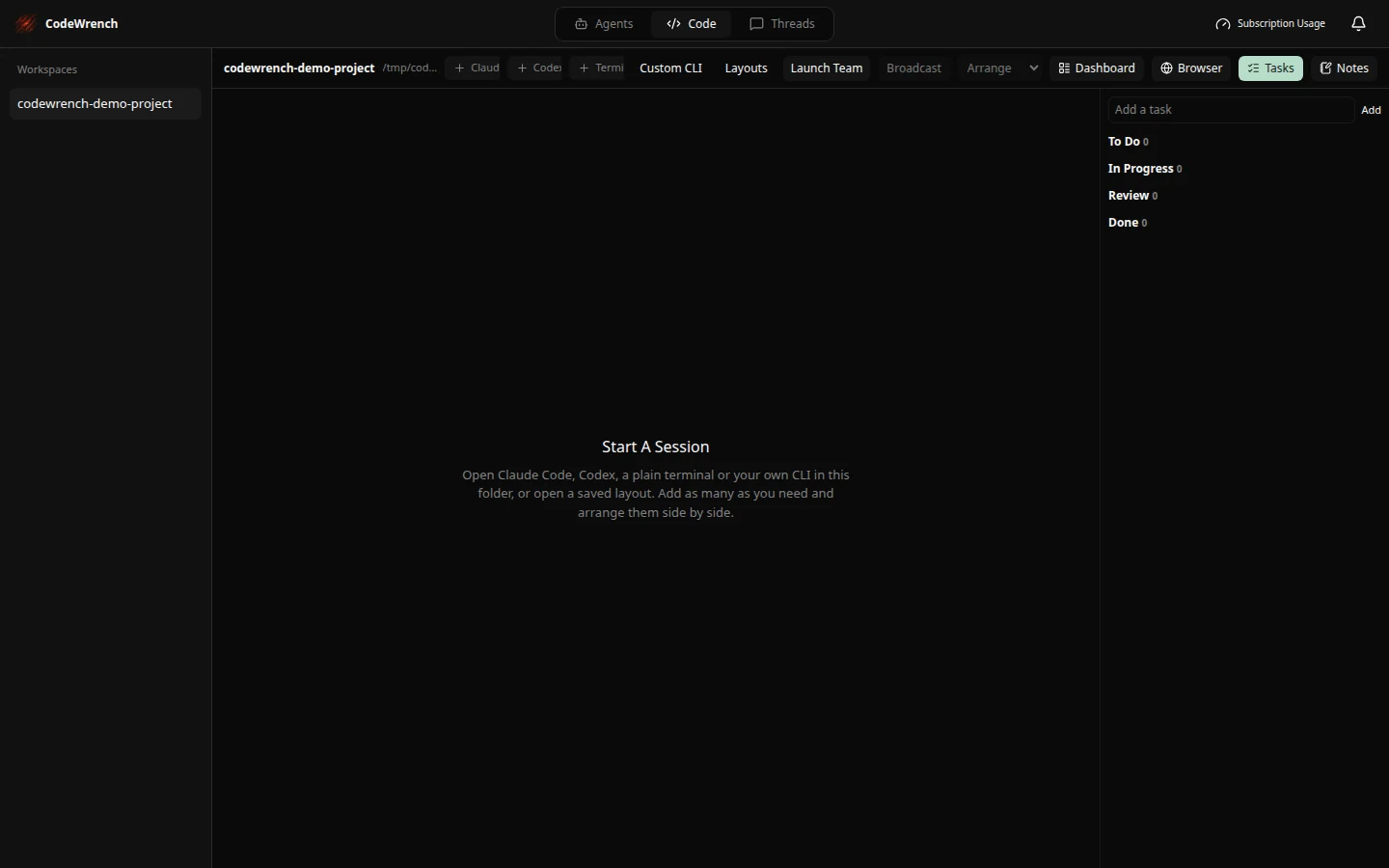
Workspace Tasks
An empty Tasks board with To Do, In Progress, Review and Done columns.
Download ScreenshotA Hands-On Story Angle
What does it take to manage multiple coding agents without paying another workspace subscription? Explore the team setup, separate Git worktrees and review workflow, then test a small project with your existing AI accounts. The interactive sandbox is a starting point; a hands-on review should use the current installer and its release notes.
Interview and Review Requests
For a walkthrough, product questions or an interview, contact Savage Digital Solutions. The product page lists the capabilities built today, including setup requirements and provider costs.